Editing Jobs
Editing Jobs
How to Edit a Job
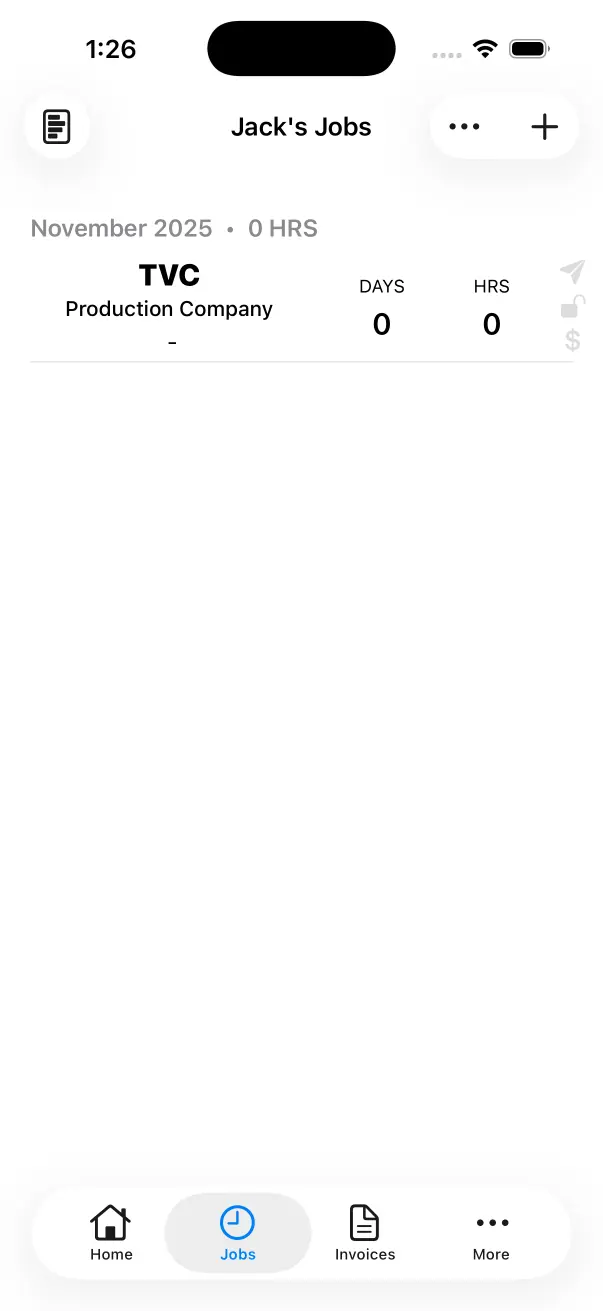
Go to the Job List
Tap the Jobs Tab at the bottom. This will take you to the Job List for the Current Crew Member.
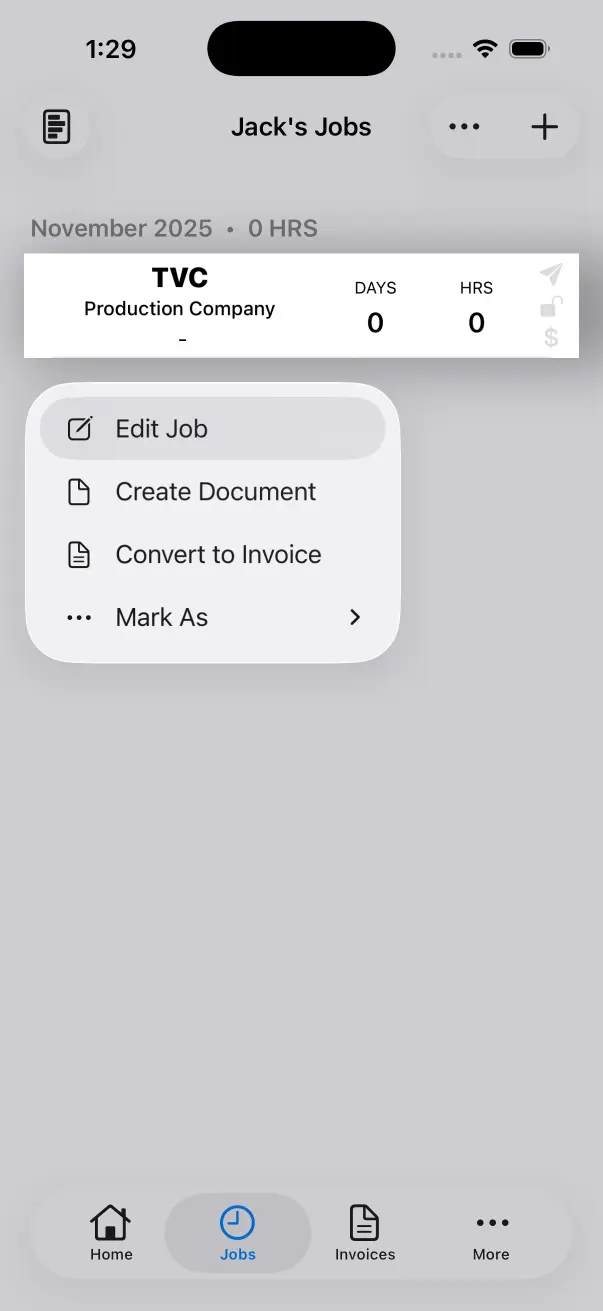
Select ‘Edit Job’
Tap and Hold on a Job. Select Edit Job from the menu.
Job Info
You can change the Job Name, Production Company, Role, Department or Rate. You can also mark jobs as Sent, Lock or Paid.
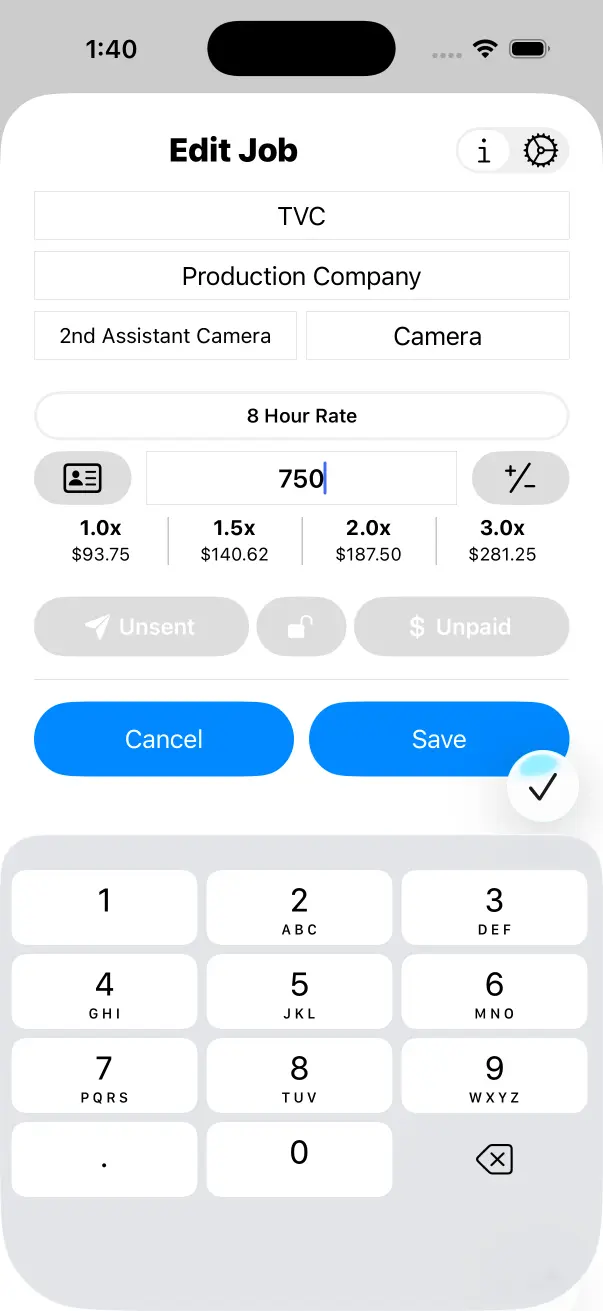
When you change your Rate for a Job and select Save, every Work Day for that Job will be re-calculated using the new rate.
Job Settings
Overtime Calculations, Overtime Rules, Night Loadings, Meal Penalties and Turnarounds can be modified on a job to job basis.
If you are working on a different scale of production or in a different country, you may want to change these so that your income is calculated correctly for that specific job.
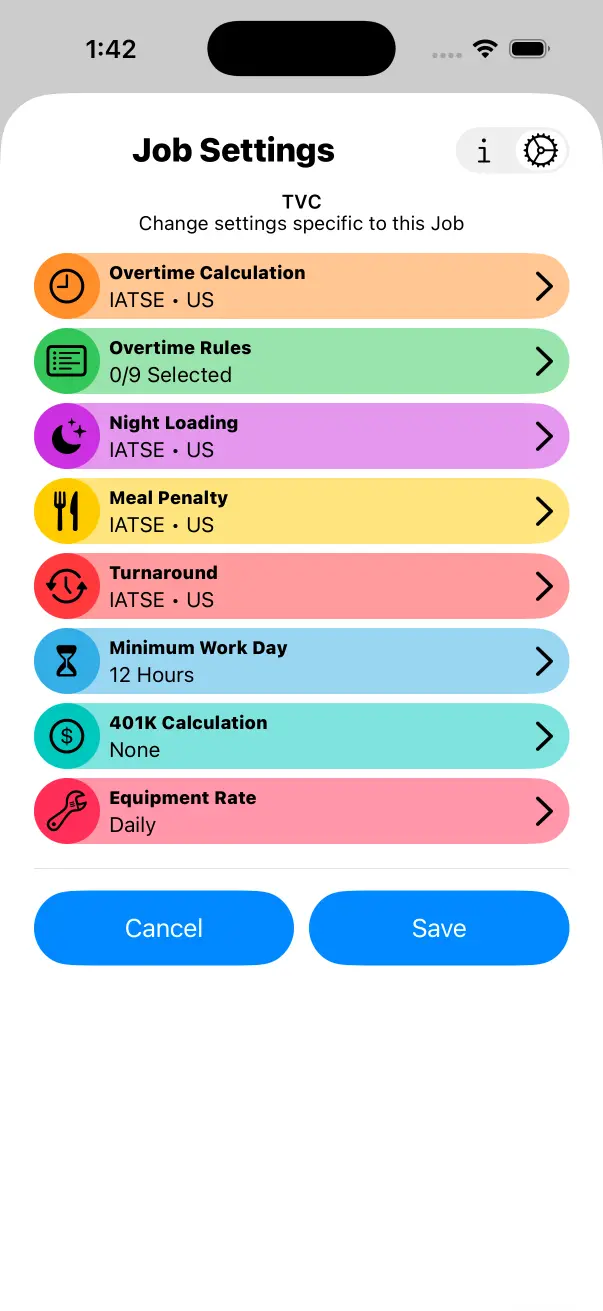
When you change any of the Calculations and select Save, every Work Day for that Job will be re-calculated using the new Job Settings.